
Rewrite anywhere
Improve the sentence directly inside the app where you are already typing.
Learn more→
Rewrite rough drafts, fix grammar, and shape the perfect tone directly from your keyboard — or polish longer text in Quick Rewrite.

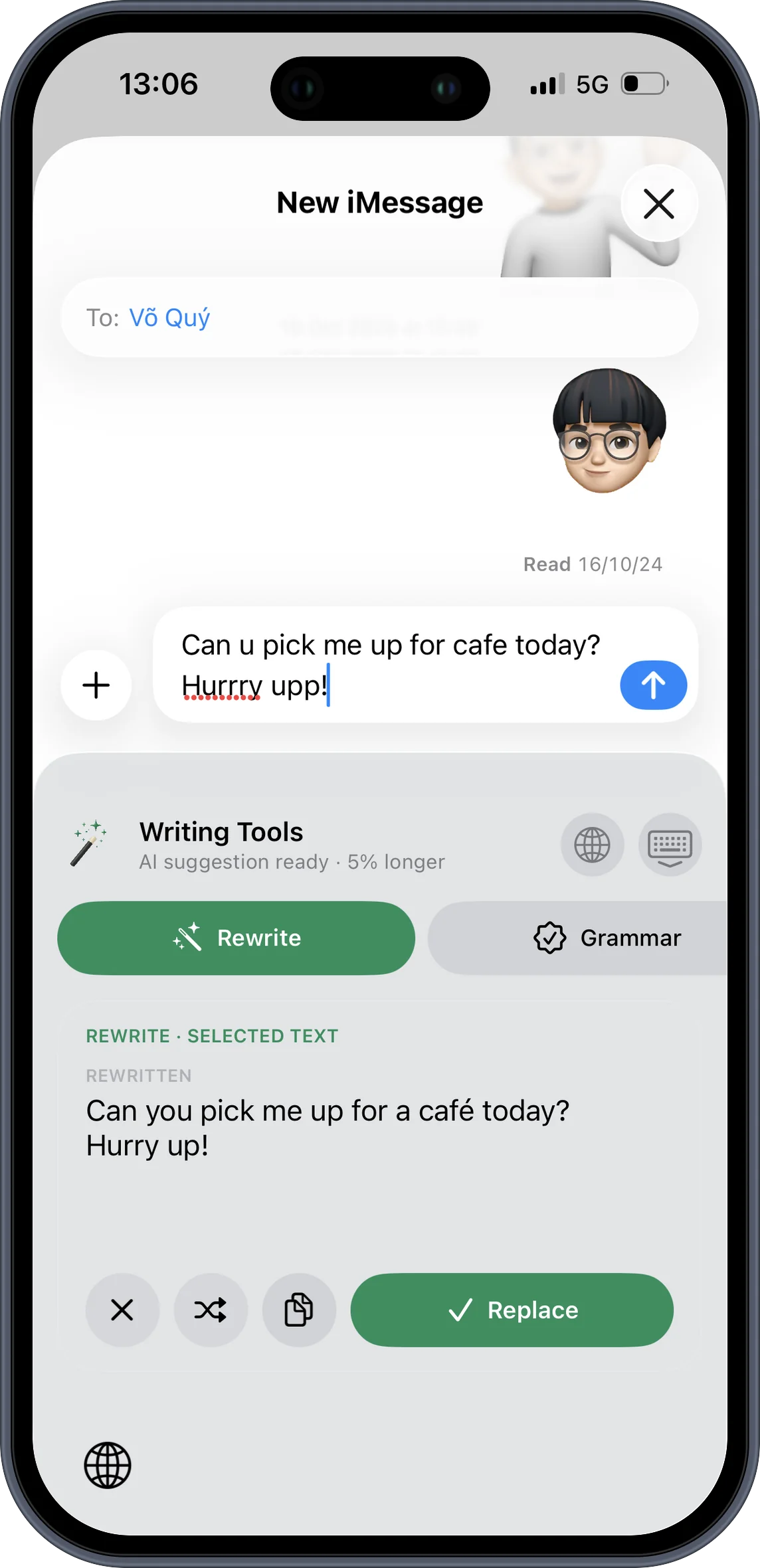
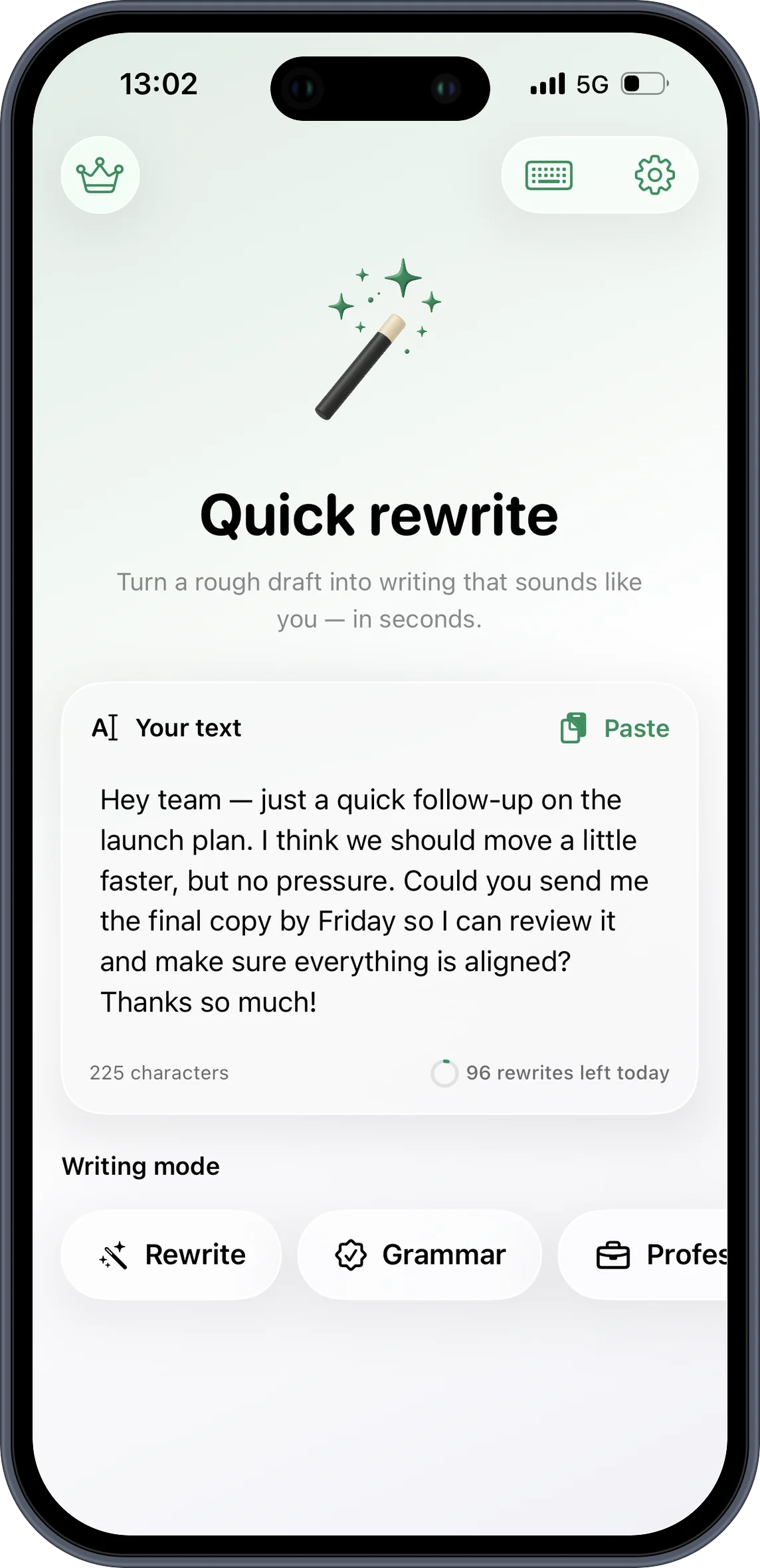
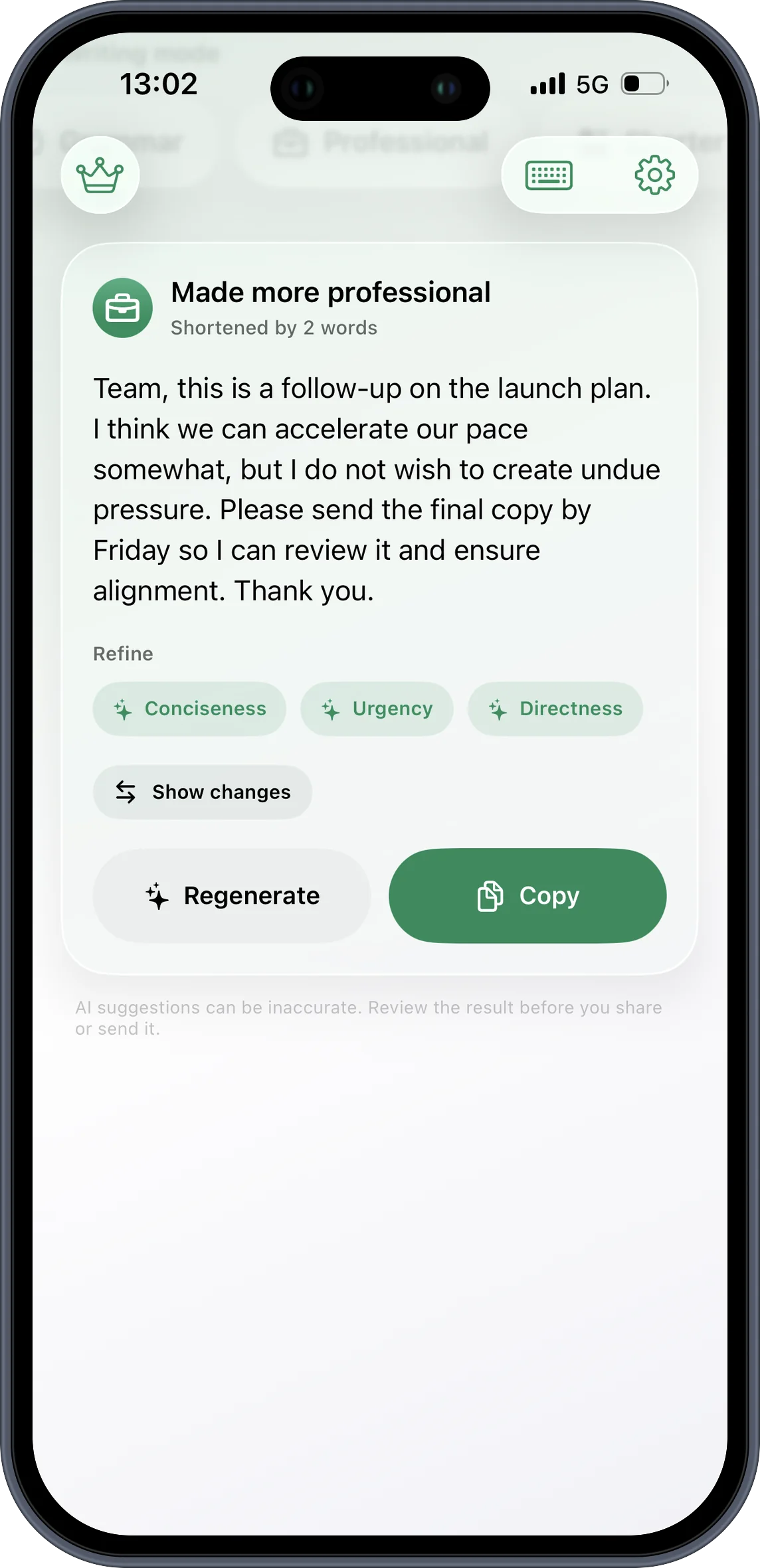
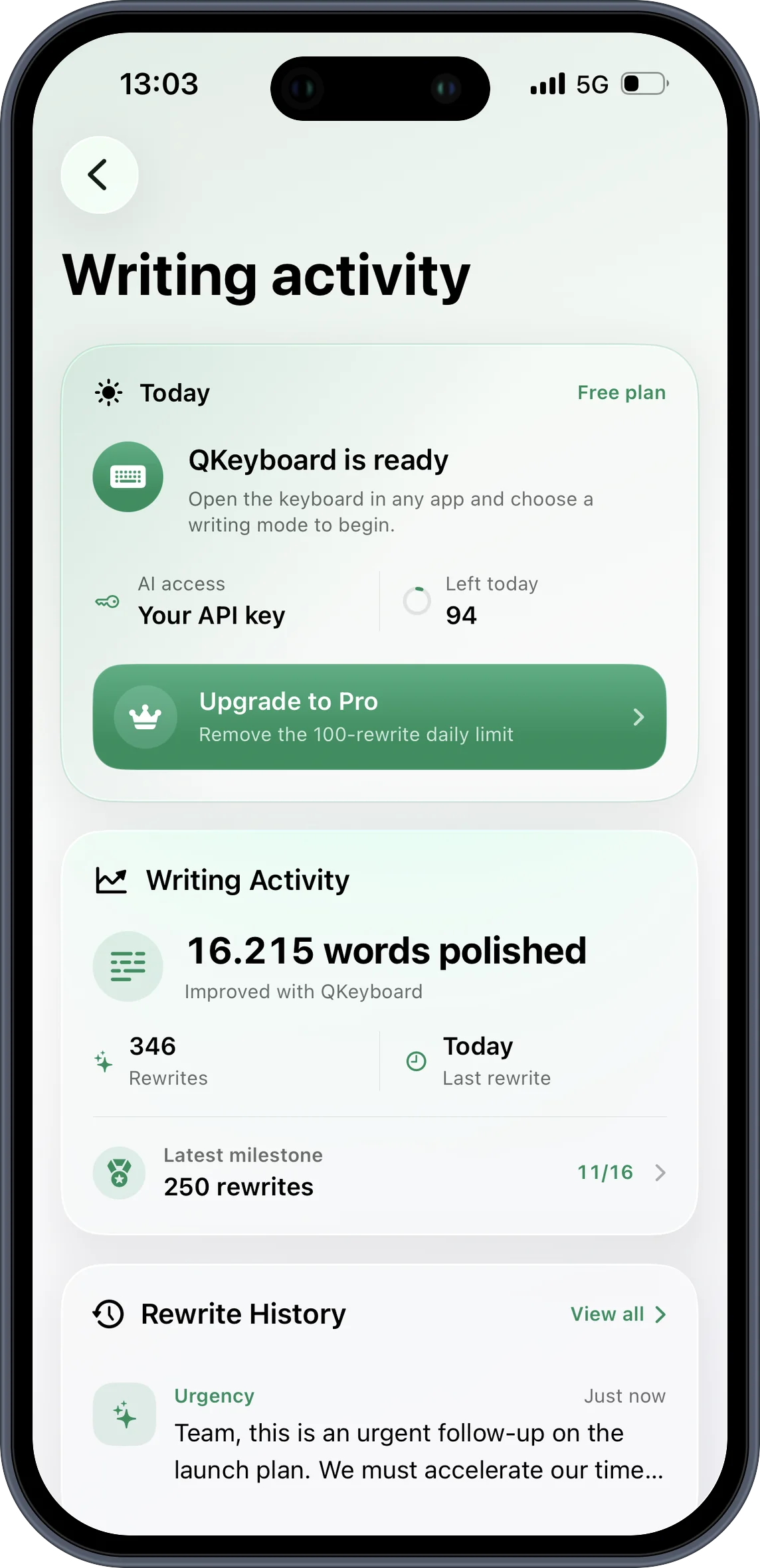
Turn an unfinished thought into polished writing without leaving Messages, Mail, Notes, or the app where you are already typing.
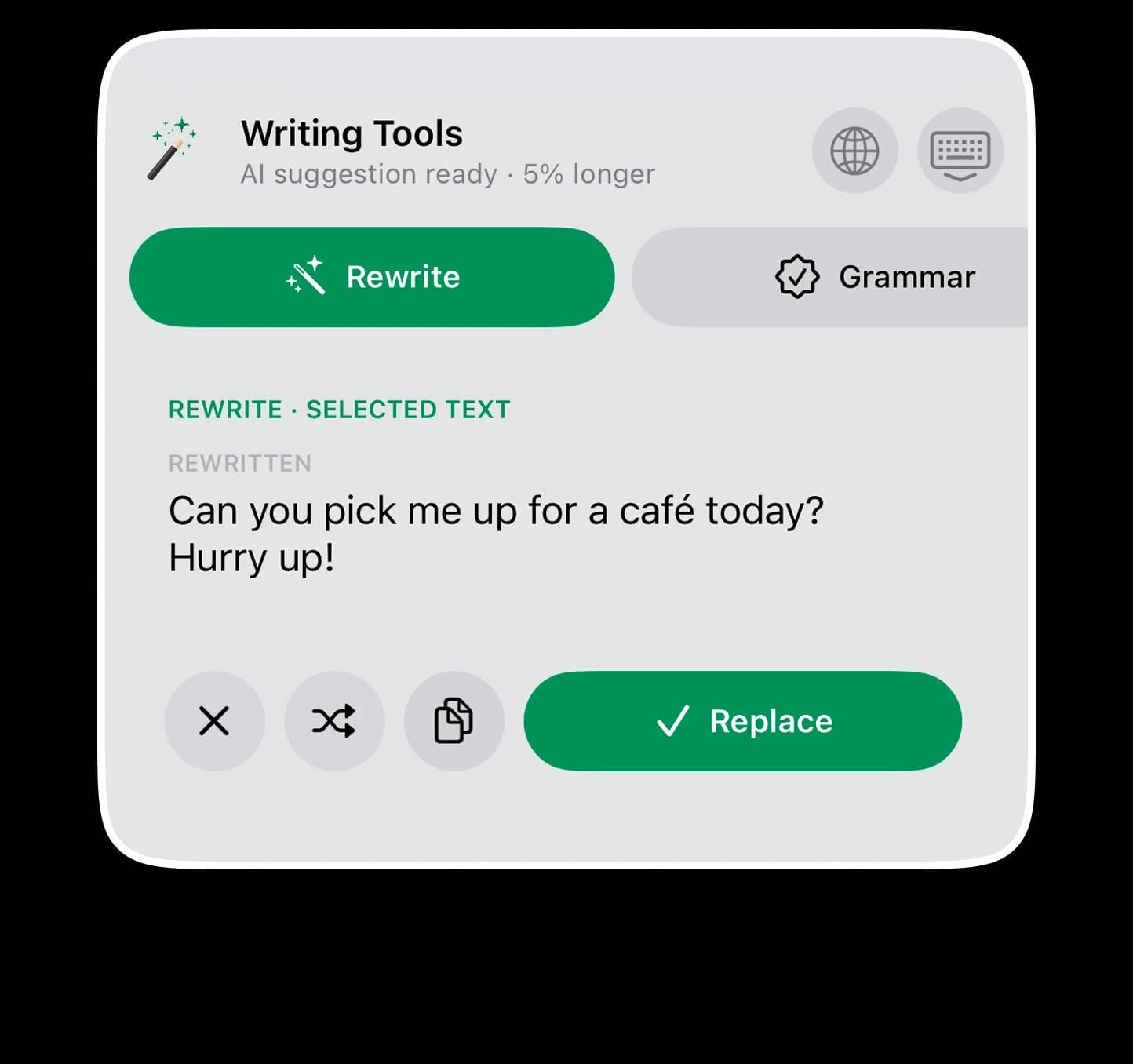
Make it professional, concise, urgent, direct, or completely custom — then compare the result before replacing your text.
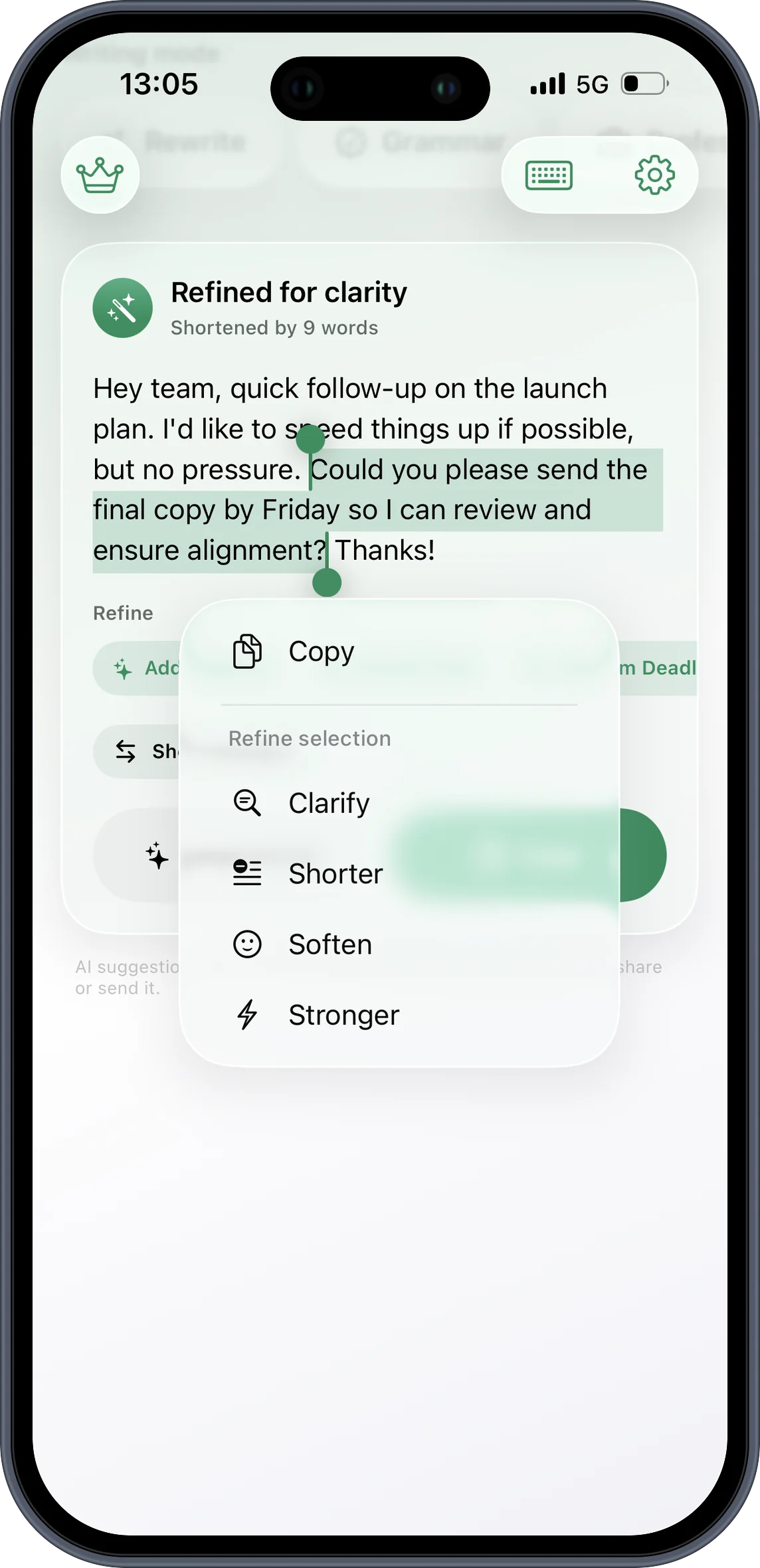
Select one sentence and clarify, shorten, soften, or strengthen it without rewriting everything around it.
Polish text in place with writing controls that stay close to the keyboard and the sentence you are working on.
Paste a longer draft, choose a writing mode, and review a clean result before copying it.
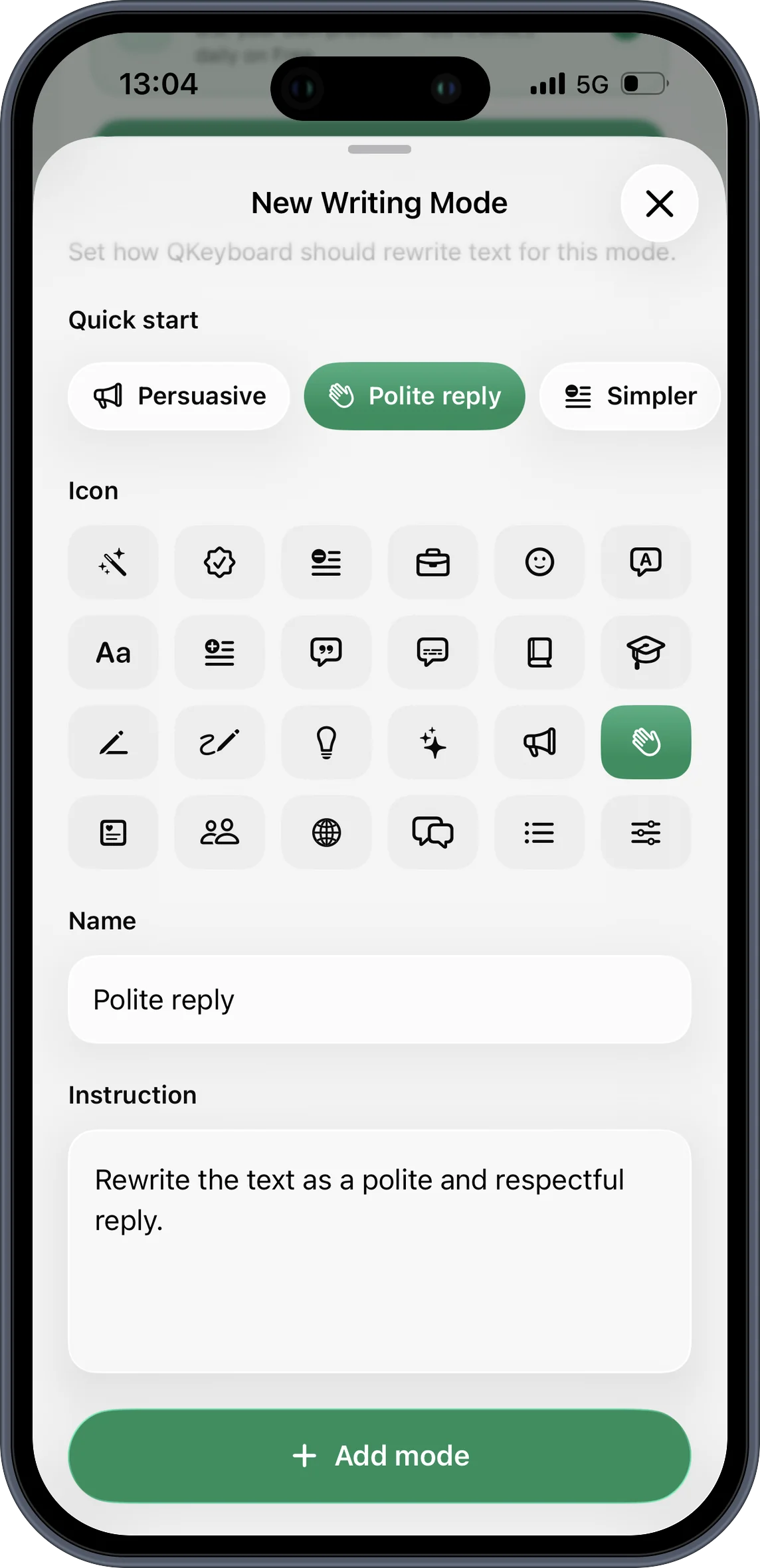
Create reusable instructions for the voice, structure, and level of detail you prefer.
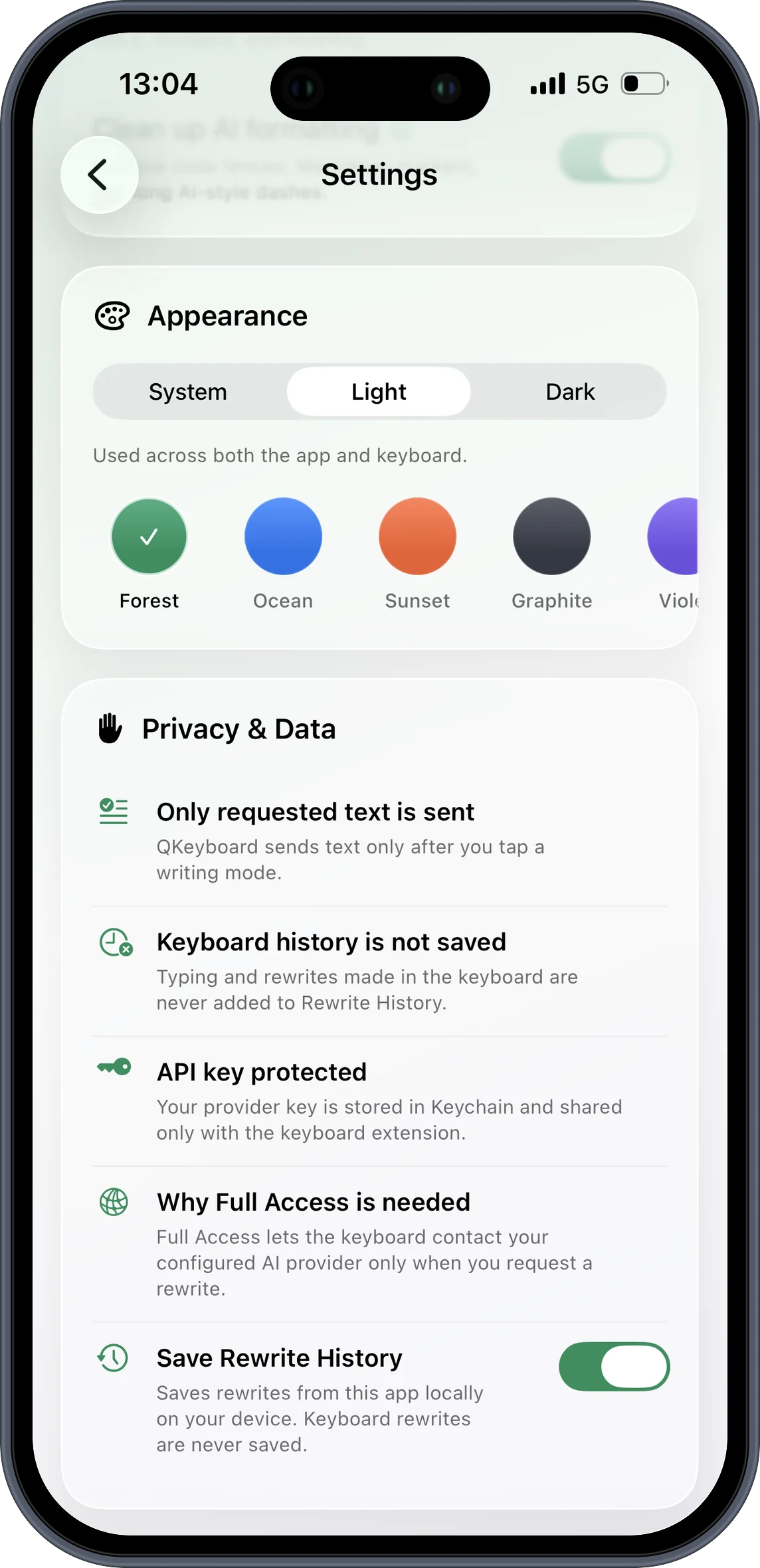
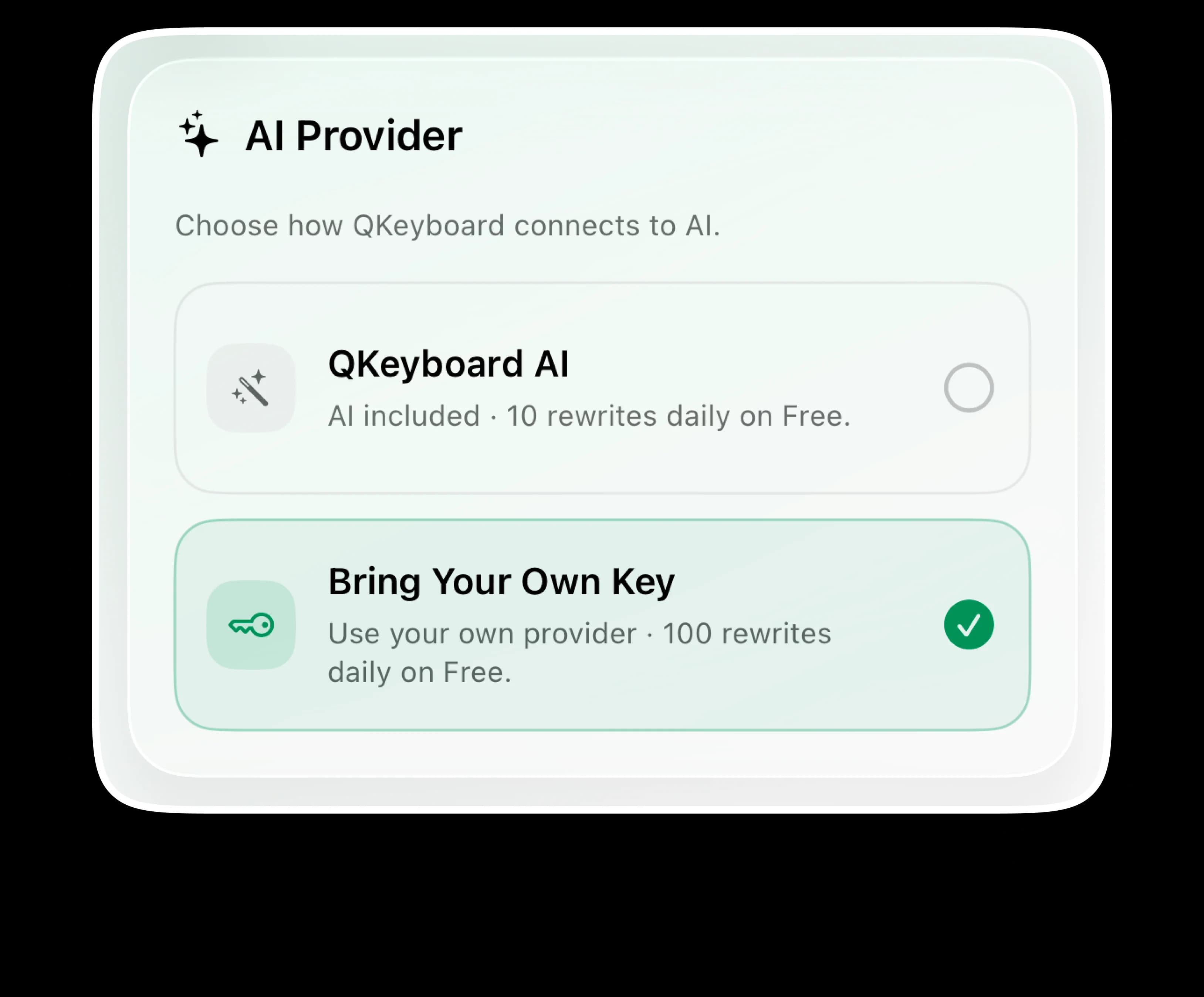
Only requested text is processed. Typing history is not stored, and your own provider key stays protected in Keychain.
Improve the sentence directly inside the app where you are already typing.
Learn more→Switch between professional, concise, urgent, direct, and custom variations.
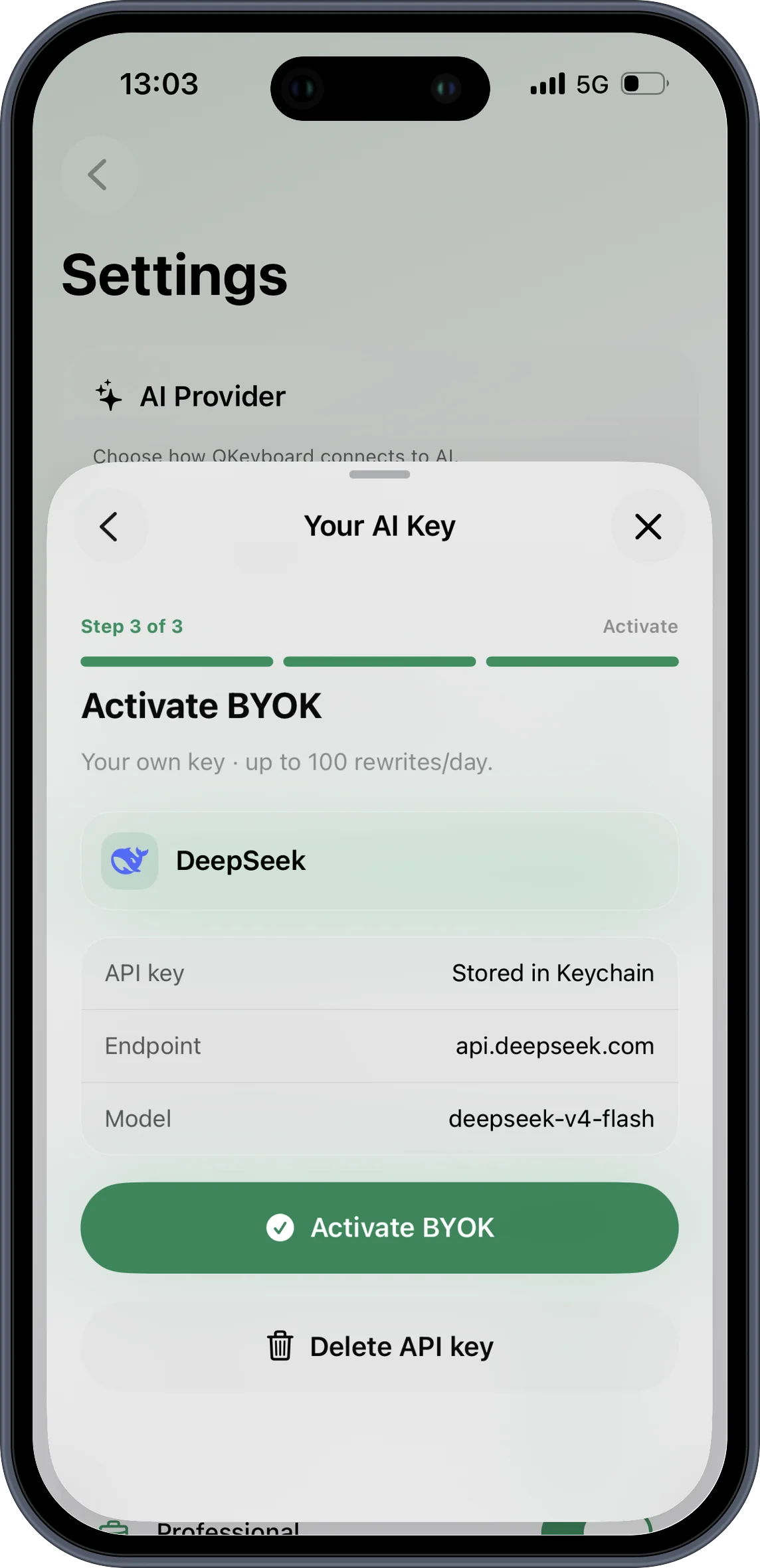
Learn more→Use QKeyboard AI or securely connect your own provider key through Keychain.
Learn more→
Messages
Say exactly what you mean without overthinking every word.
Work
Turn scattered notes into a clear, confident status update.
Keep the message direct while still sounding considerate.
Business
Make the next step easy to understand and act on.
Editing
Remove repetition while keeping the point that matters.
Personal
Soften the language while keeping your intent intact.
Teams
Turn decisions and outcomes into a readable summary.
Career
Sound professional without losing your personality.
Your mode
Reuse instructions that consistently create your best output.
BYOK
Connect your provider key and keep it protected in Keychain.
Anywhere
Fix the wording, keep your voice, and send with confidence.
QKeyboard
Choose the version that fits the moment and still sounds like you.
Start free for everyday edits. Go Pro when better writing is part of every day.
For the occasional message, quick polish, or careful reply.
No subscription required.
For the messages, updates, and drafts you write every day.
Write freely without the Free daily cap.
Use your own provider without a rewrite limit.
Unlock built-in modes and keep every custom mode active.
Bring QKeyboard into your everyday iPhone apps.
One Pro experience. Pick your cadence in the app.
All three options unlock the same Pro features.
Yearly
$0.83 / month
Billed annually · $9.99
Monthly
$1.49 / month
Billed monthly · $1.49
Lifetime Pro
$9.99 once
One payment, yours forever · $9.99
Plan selection and purchase happen securely in the QKeyboard iPhone app through Apple.
Prices may vary by App Store storefront. Subscription billing and cancellation are managed by Apple.
From the blog
Practical guides for rewriting text, choosing the right tone, and writing with more confidence on iPhone.
How to Ask for Feedback at Work. Practical wording, an example, and a quick check before you send.
How to Decline a Meeting Politely. Practical wording, an example, and a quick check before you send.
How to Write a Professional Text Message. Practical wording, an example, and a quick check before you send.
one tap
Make a message easier to understand without changing what you mean.
right tone
Turn a rough work update into something polished and confident.
less noise
Shorten a draft while keeping the important point intact.
one tap
Make a message easier to understand without changing what you mean.
right tone
Turn a rough work update into something polished and confident.
less noise
Shorten a draft while keeping the important point intact.
one tap
Make a message easier to understand without changing what you mean.
right tone
Turn a rough work update into something polished and confident.
less noise
Shorten a draft while keeping the important point intact.
your voice
Save instructions for the tone and structure you use most often.
your choice
Only send text when you request a rewrite, with optional BYOK support.
your keyboard
Use writing help inside Messages, Mail, Notes, and the apps you already use.
your voice
Save instructions for the tone and structure you use most often.
your choice
Only send text when you request a rewrite, with optional BYOK support.
your keyboard
Use writing help inside Messages, Mail, Notes, and the apps you already use.
your voice
Save instructions for the tone and structure you use most often.
your choice
Only send text when you request a rewrite, with optional BYOK support.
your keyboard
Use writing help inside Messages, Mail, Notes, and the apps you already use.
one tap
Make a message easier to understand without changing what you mean.
right tone
Turn a rough work update into something polished and confident.
less noise
Shorten a draft while keeping the important point intact.
one tap
Make a message easier to understand without changing what you mean.
right tone
Turn a rough work update into something polished and confident.
less noise
Shorten a draft while keeping the important point intact.
one tap
Make a message easier to understand without changing what you mean.
right tone
Turn a rough work update into something polished and confident.
less noise
Shorten a draft while keeping the important point intact.
your voice
Save instructions for the tone and structure you use most often.
your choice
Only send text when you request a rewrite, with optional BYOK support.
your keyboard
Use writing help inside Messages, Mail, Notes, and the apps you already use.
your voice
Save instructions for the tone and structure you use most often.
your choice
Only send text when you request a rewrite, with optional BYOK support.
your keyboard
Use writing help inside Messages, Mail, Notes, and the apps you already use.
your voice
Save instructions for the tone and structure you use most often.
your choice
Only send text when you request a rewrite, with optional BYOK support.
your keyboard
Use writing help inside Messages, Mail, Notes, and the apps you already use.
one tap
Make a message easier to understand without changing what you mean.
right tone
Turn a rough work update into something polished and confident.
less noise
Shorten a draft while keeping the important point intact.
one tap
Make a message easier to understand without changing what you mean.
right tone
Turn a rough work update into something polished and confident.
less noise
Shorten a draft while keeping the important point intact.
one tap
Make a message easier to understand without changing what you mean.
right tone
Turn a rough work update into something polished and confident.
less noise
Shorten a draft while keeping the important point intact.
your voice
Save instructions for the tone and structure you use most often.
your choice
Only send text when you request a rewrite, with optional BYOK support.
your keyboard
Use writing help inside Messages, Mail, Notes, and the apps you already use.
your voice
Save instructions for the tone and structure you use most often.
your choice
Only send text when you request a rewrite, with optional BYOK support.
your keyboard
Use writing help inside Messages, Mail, Notes, and the apps you already use.
your voice
Save instructions for the tone and structure you use most often.
your choice
Only send text when you request a rewrite, with optional BYOK support.
your keyboard
Use writing help inside Messages, Mail, Notes, and the apps you already use.